Laser Proximity Sensor for Arduino: Enhancing Precision and Safety in Robotics and Automation
In today’s rapidly evolving technological landscape, the integration of advanced sensors into robotics and automation systems has become a crucial step toward efficiency and precision. Among the various sensors available, the Laser Proximity Sensor stands out as a powerful tool that significantly enhances the capabilities of Arduino-based projects. This sensor is not only capable of detecting objects in the vicinity but also provides real-time feedback that can be integrated into a wide range of applications, from simple monitoring systems to complex automation setups.
The Laser Proximity Sensor operates by emitting a laser beam and measuring the time it takes for the beam to return after reflecting off an object. This method allows for highly accurate distance measurements, even in low-light conditions. Unlike traditional ultrasonic or infrared sensors, laser sensors offer greater range and precision, making them ideal for applications where high accuracy is required. For example, in industrial automation, these sensors can be used to detect the presence of objects on conveyor belts, ensuring smooth and safe operation.
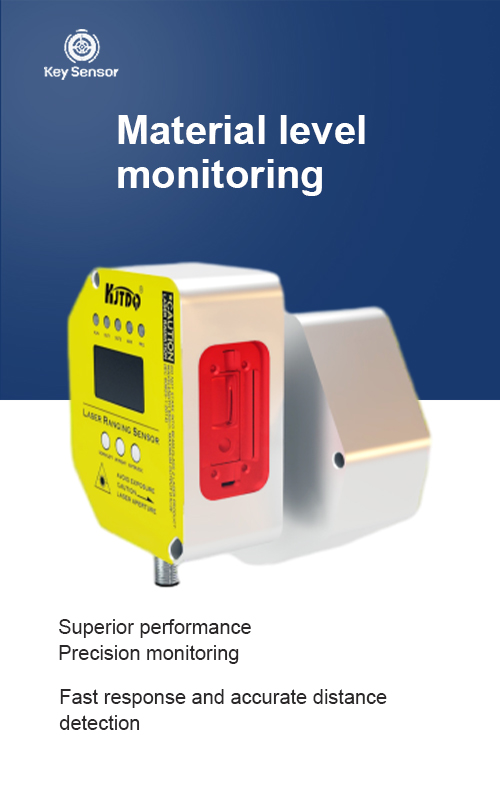
When integrating a Laser Proximity Sensor with an Arduino, the process is relatively straightforward. The sensor typically connects to the Arduino via a digital or analog pin, and the data can be read and processed using standard Arduino libraries. This makes it accessible to both beginners and experienced makers looking to expand their projects. The sensor’s ability to detect objects at a distance, even in challenging environments, adds a layer of reliability and robustness to any system it is part of.
One of the key advantages of the Laser Proximity Sensor is its versatility. It can be used in a variety of settings, including robotics, home automation, and even in medical devices. For instance, in robotics, the sensor can help in detecting obstacles, allowing the robot to navigate safely and efficiently. In home automation, it can be used to trigger events when an object is near a sensor, such as turning on a light or activating a door.
Another important feature of the Laser Proximity Sensor is its ability to work in different environments. Whether it’s in a dusty workshop or a clean, controlled space, the sensor remains reliable and accurate. This makes it a valuable component in both indoor and outdoor applications. Moreover, the sensor is often available in different versions, such as mono and stereo, which allows for more complex configurations and improved accuracy in multi-object detection scenarios.
The Laser Proximity Sensor also offers a high level of customization. Users can adjust the sensitivity and detection range based on their specific needs. This flexibility ensures that the sensor can be adapted to a wide array of projects, from simple DIY gadgets to sophisticated industrial systems. Additionally, the sensor can be combined with other sensors, such as touch sensors or color sensors, to create more advanced systems that can detect multiple types of objects or conditions.
In conclusion, the Laser Proximity Sensor is a valuable addition to any Arduino project. Its high accuracy, versatility, and ease of integration make it an excellent choice for anyone looking to enhance the functionality and reliability of their projects. Whether it’s used in robotics, automation, or home automation, the Laser Proximity Sensor provides a reliable and efficient solution for detecting objects in the environment. With the right setup and configuration, this sensor can empower users to create more advanced and intelligent systems that meet the demands of modern technology.











 +40729977919
  keysensor.ro@gmail.com




