Laser Motion Sensor for Arduino: A Guide to Integration and Use
Laser motion sensors are increasingly popular in robotics, automation, and smart home applications. With the rise of the Arduino platform, integrating a laser motion sensor into a project has become more accessible than ever. This article explores the basics of using a laser motion sensor with Arduino, focusing on its capabilities, setup, and real-world applications.
A laser motion sensor is a device that detects movement using a laser beam. Unlike traditional infrared motion sensors, laser sensors can detect movement at greater distances and are more accurate. They are particularly useful in environments where traditional sensors might be ineffective, such as in large open spaces or when monitoring distant objects.
For Arduino users, the integration of a laser motion sensor is straightforward, but requires careful configuration. The sensor typically connects to the Arduino via a digital pin, and the output can be read using the digitalRead() function. Depending on the sensor model, additional components like a power supply or a signal conditioning circuit may be necessary.
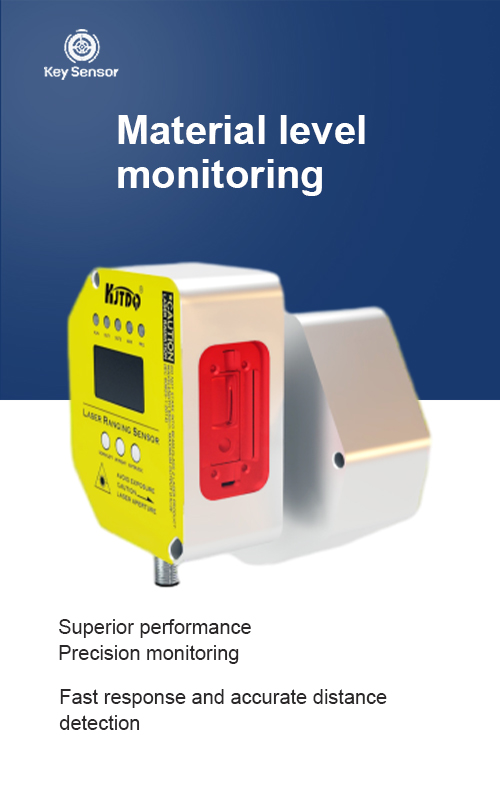
One of the key advantages of a laser motion sensor is its ability to detect movement with high precision. Unlike infrared sensors, which can be affected by ambient light and temperature, laser sensors provide a more consistent and reliable detection. This makes them ideal for applications such as automatic door opening, security monitoring, and robotic navigation.
To get started with a laser motion sensor on Arduino, you will need to purchase a sensor and connect it to your board. The sensor usually has a power pin, a ground pin, and a signal pin. Once connected, you can use the Arduino IDE to write a simple sketch that reads the sensor input and prints the result to the serial monitor.
For example, a basic sketch might look like this:
void setup() {
pinMode(2, INPUT);
}
void loop() {
int sensorValue = digitalRead(2);
Serial.print("Sensor Value: ");
Serial.println(sensorValue);
delay(1000);
}
This sketch reads the sensor value every second and prints it to the serial monitor. The output will be either 0 (no movement) or 1 (movement detected), depending on the sensor’s configuration.
In addition to the basic setup, there are several advanced features that can be implemented with a laser motion sensor. For instance, you can use the sensor to trigger actions based on movement, such as turning on an LED, activating a motor, or sending a signal to a computer.
One of the most common applications of laser motion sensors is in smart home automation. For example, you can use the sensor to detect when someone enters a room and automatically turn on the lights or adjust the thermostat. This not only enhances convenience but also improves energy efficiency.
Another application is in robotics, where laser motion sensors are used to detect obstacles and navigate through complex environments. By combining the sensor with other components like ultrasonic sensors or cameras, robots can perform tasks with greater accuracy and reliability.
In conclusion, the integration of a laser motion sensor with Arduino offers a powerful way to enhance the functionality of various projects. Whether you’re building a smart home system, a security monitor, or a robotic device, a laser motion sensor can provide reliable and accurate movement detection. With the right setup and configuration, you can unlock a wide range of possibilities and create innovative solutions.











 +40729977919
  keysensor.ro@gmail.com




